How PisonetX Works
From rental phone to admin dashboard — the complete system flow.
Complete System Overview
How your rental devices connect to the PisonetX platform via cloud.
Rental Phone
PisonetX Launcher installedCloud Server
Encrypted connectionCPAdmin Dashboard
Web-based control panelShop Owner
Manages everything remotelyCoin-Operated Automation
Two vendo configurations for automated phone rental payments.
Vendo Centralize System
One coinslot serves multiple rental phones via WiFi router.
Coinslot
Accepts coinsESP32 Board
Processes signalWiFi Router
Local networkRental Phone
Auto-adds time via WiFiMultiple phones can connect to the same router for centralized control.
Hardware Wiring
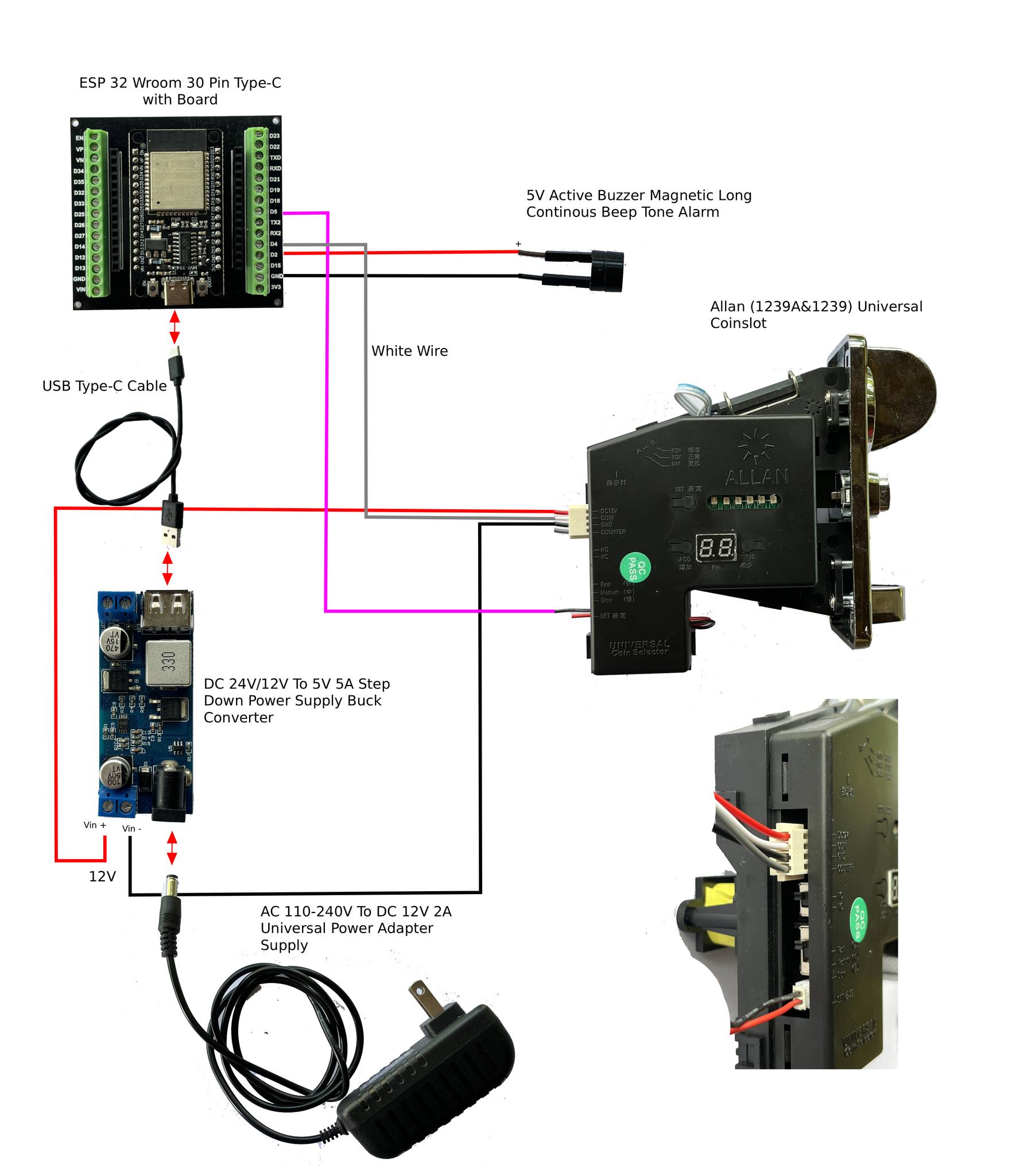
Click to view full size
WiFi System Setup
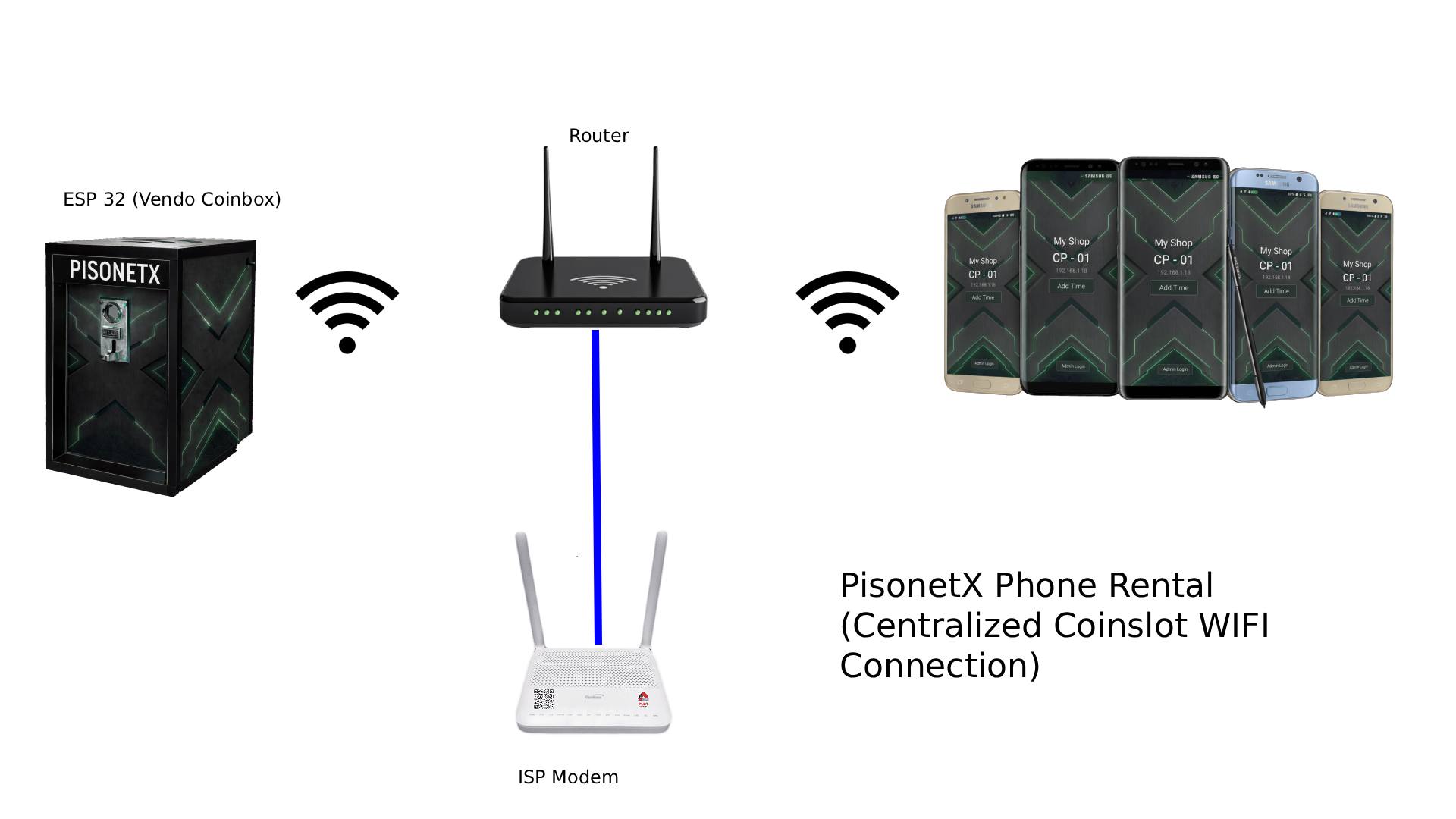
Click to view full size
Vendo Individual Coinslot System
One coinslot per rental phone — direct wired connection.
Coinslot
Accepts coinsAllan Timer
Controls power timingBuck Converter
Steps down to 5VUSB 5 Volts
Powers the phoneRental Phone
Charges & runs timerEach phone has its own dedicated coinslot and timer.
Timer Board Wiring
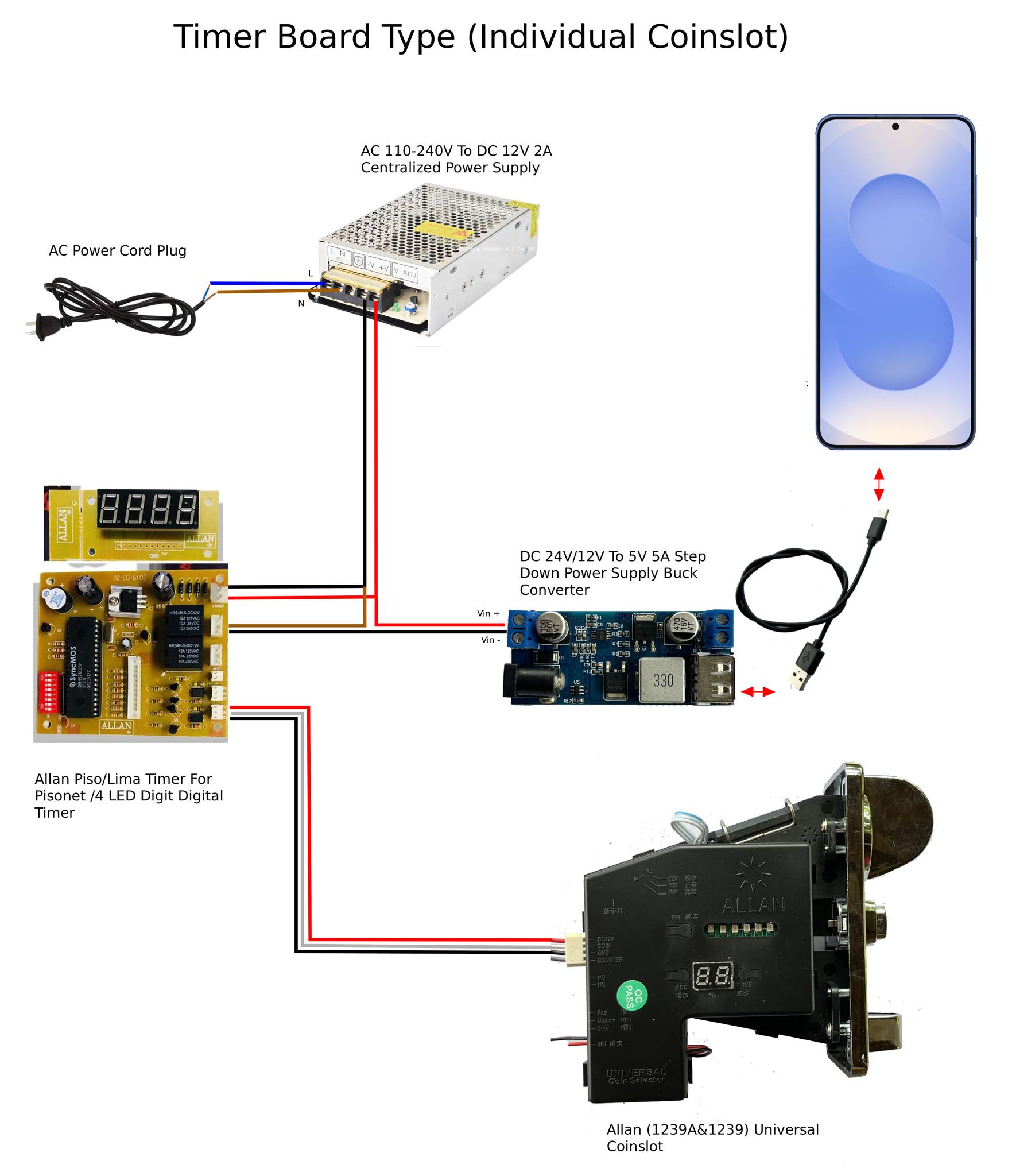
Click to view full size
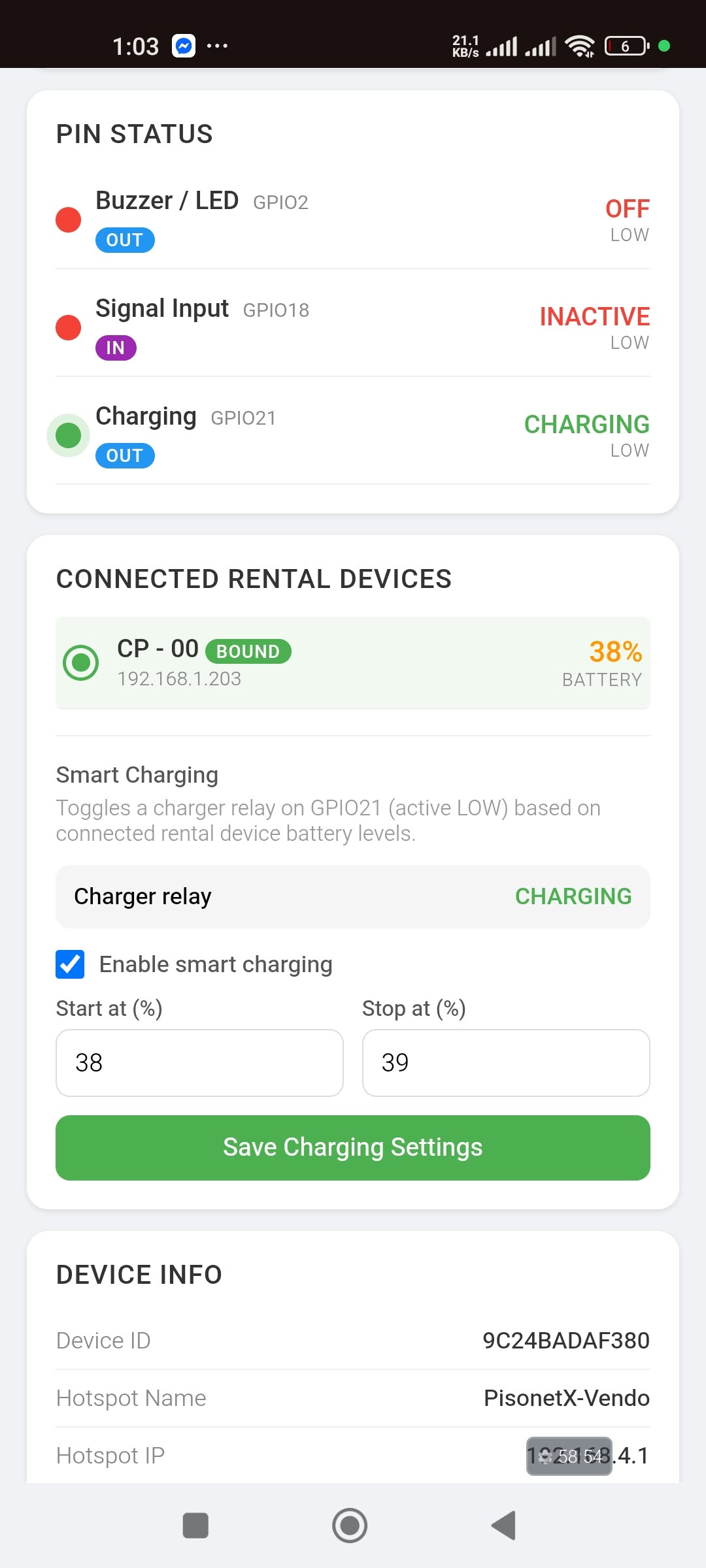
Smart Charging (Allan Timer + ESP32)
The ESP32 turns a relay on and off based on the rental phone's battery level, so the phone never runs flat and is not charged all day.
Option A: Relay cuts the charger cable
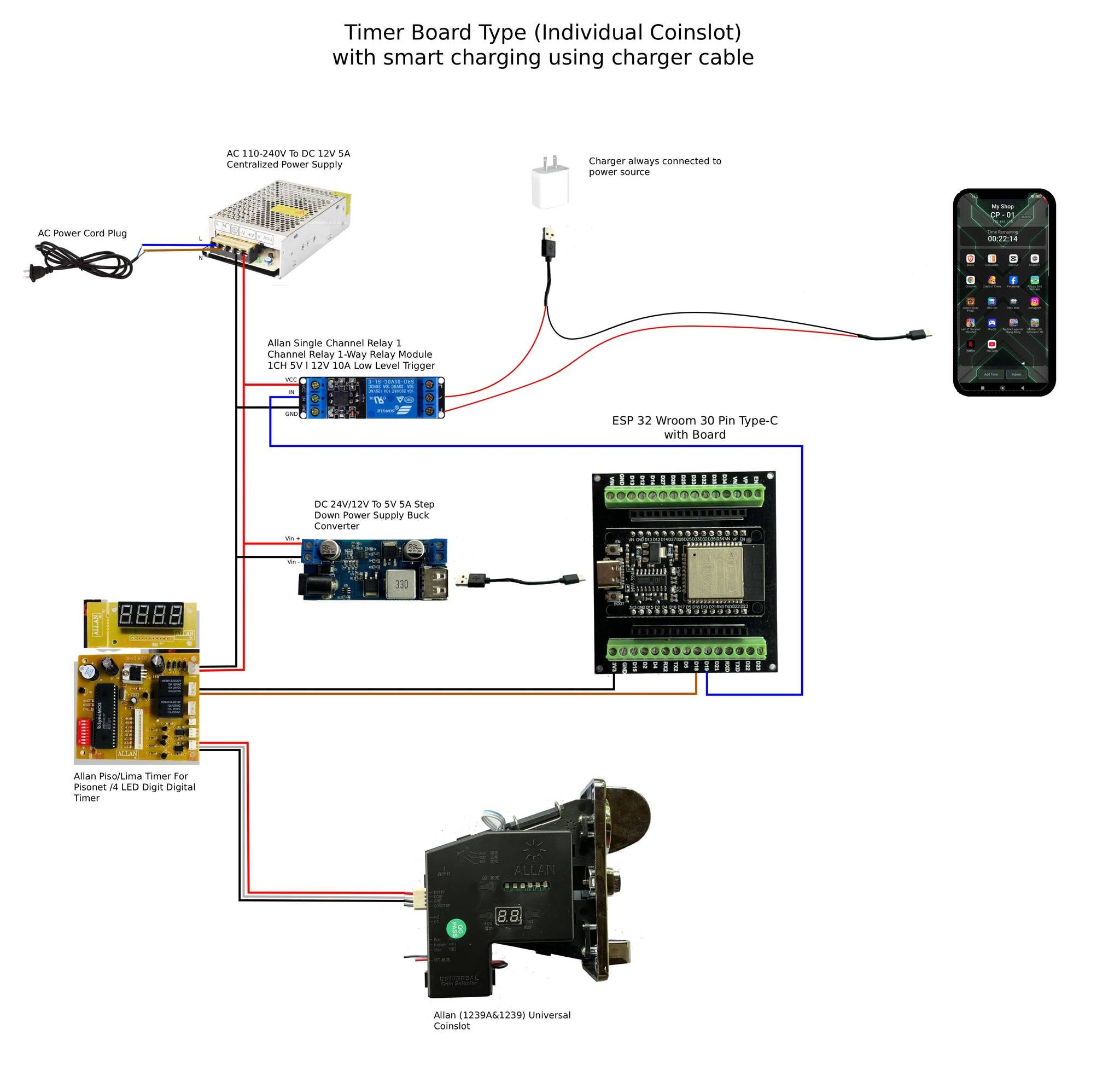
The charger stays plugged in. The relay switches the red (+5V) wire of the phone's charger cable.
Option B: Separate buck converter for the phone
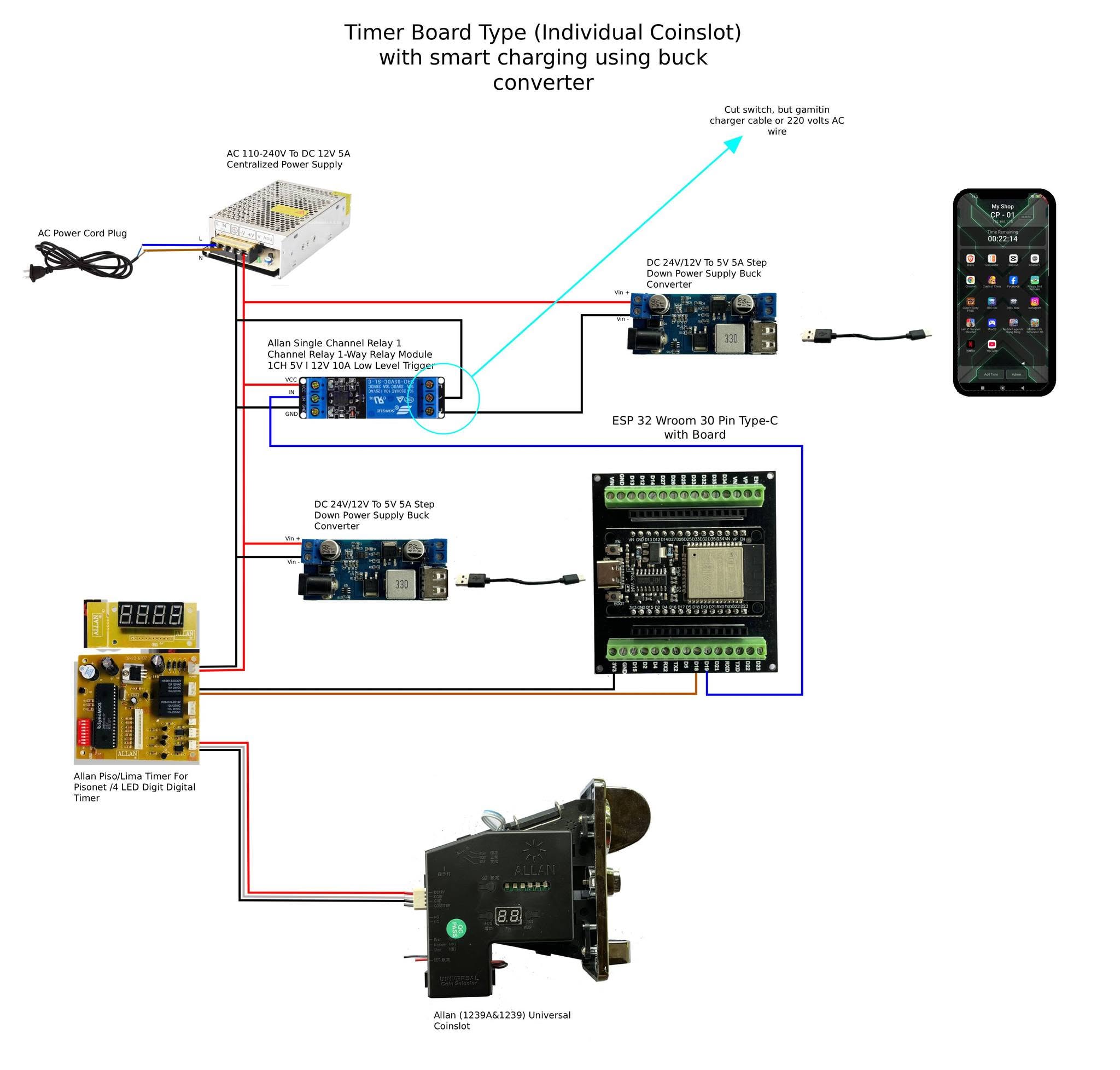
A second 12V-to-5V buck converter powers the phone. The relay switches its Vin− (ground) wire.
Settings: set the vendo to Individual Coinslot, bind the phone, then set Start at / Stop at (%) under Smart Charging in the vendo portal or the app's Admin Panel → Vendo Settings. Needs ESP32 firmware 2.4.4 or newer.
220V AC outlet instead? The same relay can switch the charger's AC outlet. Put the relay on the Live (L) wire only, cover the relay's screw terminals, keep 220V wires away from the ESP32 and timer board, and add a fuse.
Vendo portal: Smart Charging
Vendo portal: Pin Configuration
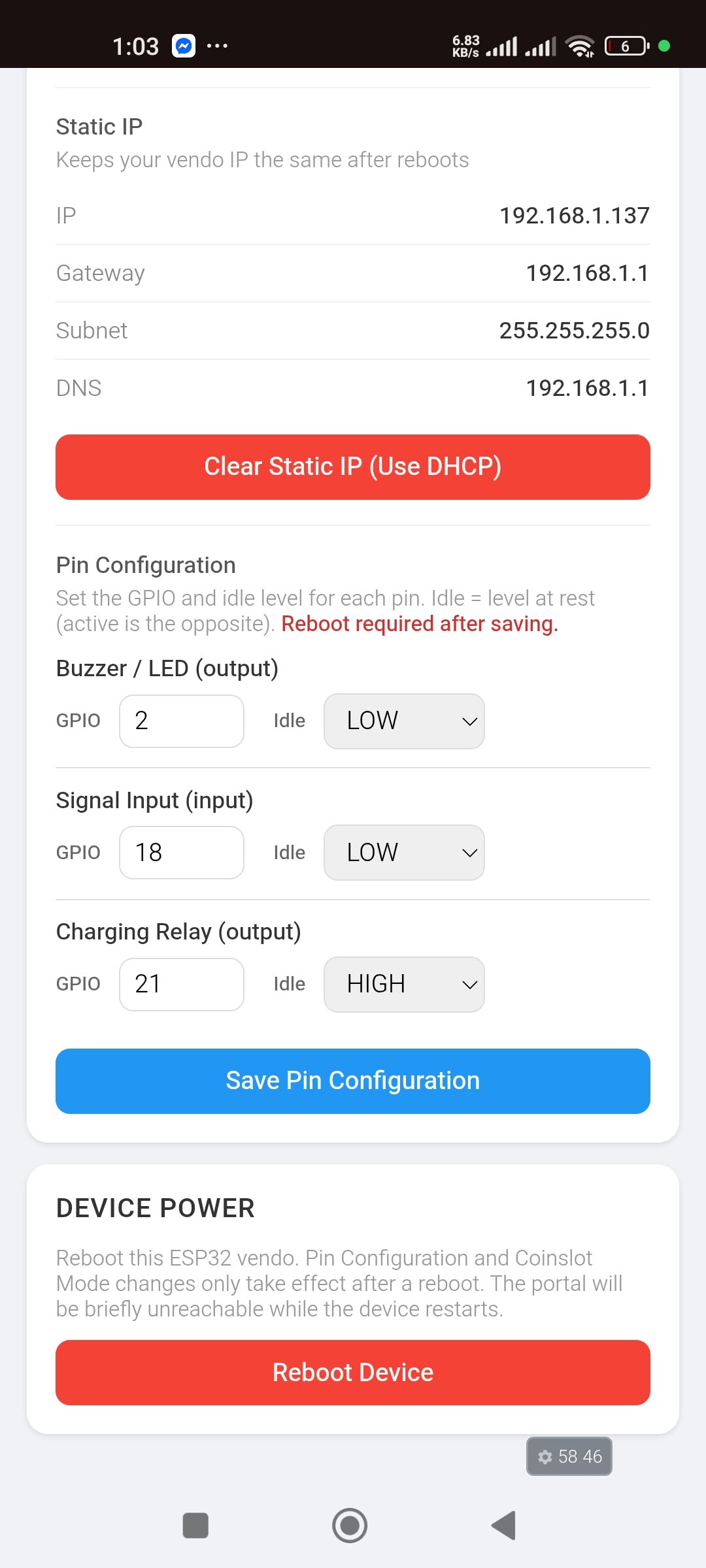
Screenshots are from a test unit. Use your own Start/Stop levels (default 20% / 90%) and the relay pin you actually wired (default GPIO 19).
What You Can Do from CPAdmin
Everything available from your web-based control panel.
Add / Reduce Time
Instantly add or remove rental time on any connected device.
Lock / Unlock
Remotely lock or unlock devices. Auto-lock when time expires.
Sales & Logs
Track all rental activity, view sales reports, and export logs.
License Management
Activate, transfer, and manage licenses from one place.
Start Managing Your Rentals
Get your lifetime license and set up in minutes.